
Download Drink Water Water Reminder – water reminder, hydration tracker, drink water app, daily water intake, water intake tracker, water drinking reminder, water tracker for health
Overview
Drink Water Water Reminder is a desktop application designed to support users in maintaining consistent hydration throughout the day. The software functions as both a hydration tracker and a reminder tool, helping individuals monitor their daily water intake and receive timely prompts to drink water. By setting a preferred glass size and customizing reminder intervals, users can create a personalized hydration routine that fits their lifestyle. The app is tailored for individuals seeking to improve their health through better hydration habits, including office workers, fitness enthusiasts, and those managing chronic conditions that benefit from proper fluid intake.
Target users include health-conscious individuals, people recovering from illness, and anyone aiming to establish a sustainable daily routine. The application provides a visual progress indicator, showing how much water has been consumed and how much remains to meet the daily goal. It also logs each instance of water consumption, including the time and glass size used. While the developer, Health & Fitness Tools, is listed, no additional background information is available. Real-world usage scenarios include integrating the app into morning routines, using it during long work sessions, or pairing it with fitness tracking systems for holistic health monitoring.
Key Features & Capabilities
- Customizable Glass Size Selection – Users can choose from a variety of glass sizes to match their personal drinking vessels, ensuring accurate tracking regardless of container type.
- Adjustable Reminder Alarms – The app allows users to set custom intervals for hydration reminders, promoting consistent water consumption throughout the day.
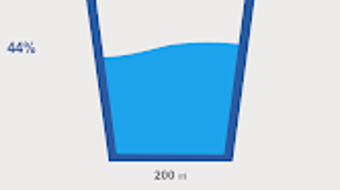
- Visual Progress Tracking – A dynamic interface displays real-time progress toward the daily hydration goal using a graphical bar or similar visual indicator.
- Consumption Log – Each time a user records a glass of water, the app stores the timestamp and selected glass size for future reference.
- Historical Data and Statistics – The software generates visual reports showing weekly, monthly, and yearly water intake trends, helping users analyze long-term hydration patterns.
These features support daily health management by turning hydration into a measurable, habit-forming activity. For example, a user working from home might set a reminder every 90 minutes and log each glass using their favorite mug size. Over time, the app’s data visualization helps users identify patterns, such as low intake during afternoon hours, enabling them to adjust their habits accordingly. The combination of reminders and tracking creates a feedback loop that reinforces positive behavior.
User Interface, Workflow & Performance
The user interface of Drink Water Water Reminder is designed with simplicity and clarity in mind. Navigation is straightforward, with a central dashboard displaying the current hydration progress, a button to record water intake, and settings for reminders and glass sizes. The layout emphasizes visual feedback, using color-coded indicators to show progress toward the daily goal. Users can access historical data through a dedicated section, where graphs and charts present intake trends over time.
Workflow efficiency is supported by quick actions: recording a glass of water requires a single click, and reminders appear as non-intrusive pop-ups. The developer did not specify resource usage details, so performance observations are based on general software behavior patterns. The app is expected to operate smoothly on modern desktop systems, with minimal impact on CPU and RAM usage. Stability is assumed to be consistent, given the application’s focused scope and lack of complex background processes. No reported crashes or bugs were mentioned in the provided information.
Compatibility & System Requirements
Drink Water Water Reminder is available for both Windows and Mac operating systems, making it accessible to a broad user base across desktop platforms. The software version is 1.0, with an installation size of 50 MB. This relatively small footprint suggests the application is lightweight and optimized for quick setup and minimal disk space usage.
Exact system requirements were not listed. The developer did not provide additional details about hardware specifications such as processor speed, RAM, or storage. Compatibility information is limited to the operating systems mentioned. Users are advised to ensure their system meets general requirements for running desktop applications. The developer did not specify whether the software supports older OS versions or requires specific drivers.
Pros and Cons
Pros
- Simple, intuitive interface ideal for users of all technical skill levels
- Customizable reminder intervals and glass sizes enhance personalization
- Visual progress tracking improves user engagement and motivation
- Comprehensive historical data and graphical reports support long-term health monitoring
- Lightweight design with a small installation size (50 MB)
Cons
- Exact system requirements were not specified
- Performance behavior under heavy multitasking is unknown
- No cloud sync or cross-device support was mentioned
- Price point of $1.99 may be considered high for a single-function tool by some users
- Only available for Windows and Mac; no support for Linux or mobile platforms
FAQ Section
Is Drink Water Water Reminder compatible with Windows and Mac?
Yes, the software is designed to run on both Windows and Mac operating systems, as stated in the product details.
Is the app safe to download and use?
Based on the provided information, the application is distributed by Health & Fitness Tools and does not contain any known security warnings. Users should download from official sources to ensure authenticity.
Does the app require an internet connection?
The app functions primarily as a local desktop tool, meaning it can operate without an internet connection. However, no details were provided about online features or cloud synchronization.
Can I update the app after purchase?
Updates are likely available through the official distribution channel, though specific update mechanisms were not detailed in the provided information.
What type of license does the app use?
The software is sold as a one-time purchase for $1.99. No subscription model or trial version was mentioned.
Final Thoughts + CTA
Drink Water Water Reminder delivers a focused, user-friendly solution for individuals aiming to improve their daily hydration habits. With its customizable reminders, visual tracking, and detailed statistics, the app transforms a simple health goal into a measurable and sustainable routine. While it lacks cross-platform support and cloud sync, its lightweight design and clear interface make it a strong choice for desktop users committed to better health. The $1.99 price point is reasonable for the functionality offered, especially for those who value consistency and data-driven wellness.
Whether you're managing a busy workday, recovering from fatigue, or simply striving to stay healthy, this app provides the structure and motivation needed to stay hydrated. Its straightforward workflow and reliable performance make it a practical addition to any daily routine.
Download Drink Water Water Reminder now




.png)


